
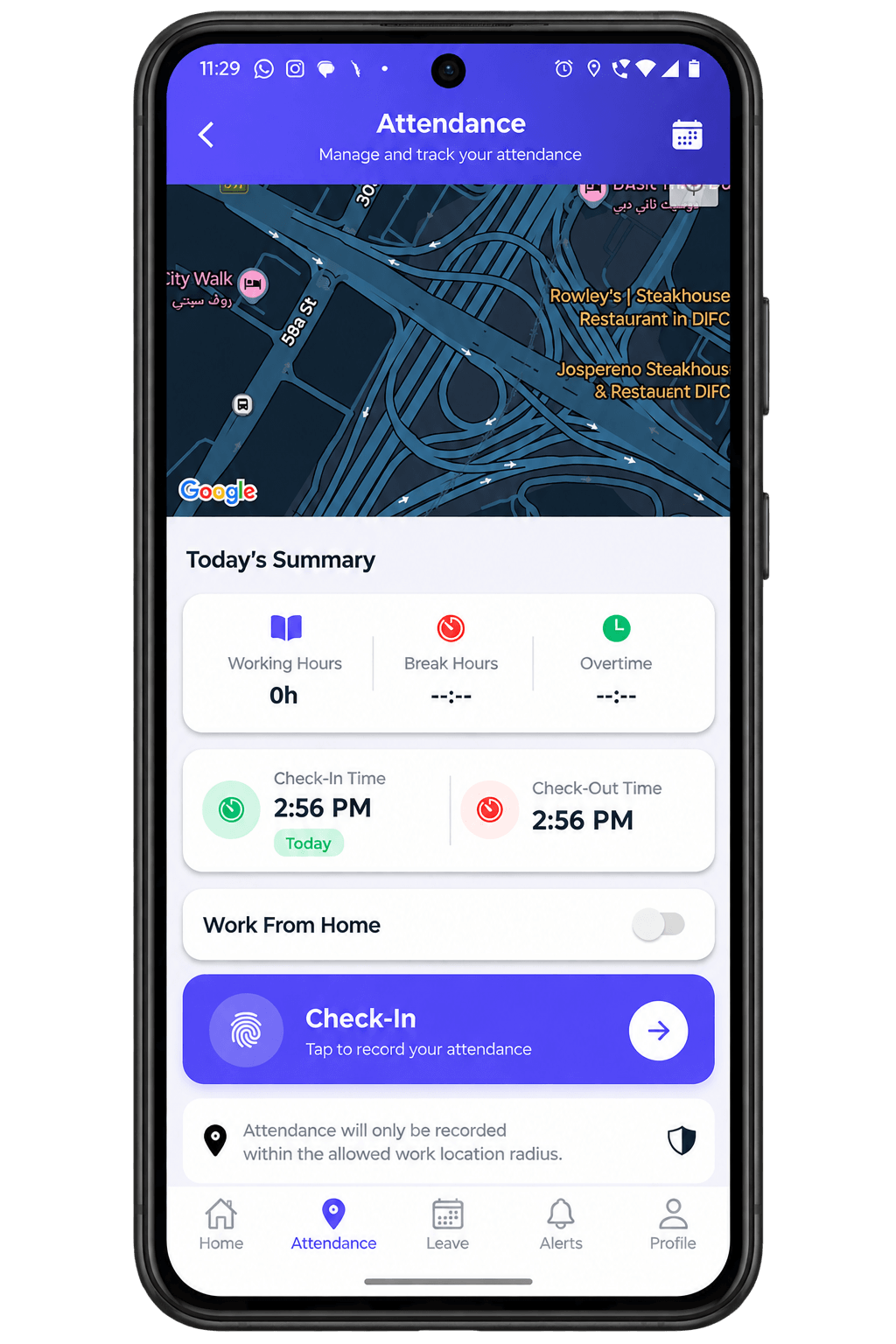
GPS-Verified Attendance
Employees check in and out using GPS so the system can confirm they are at an approved location. They can review their attendance history and see a monthly summary.
- GPS based check in / out
- Attendance history
- Monthly summary
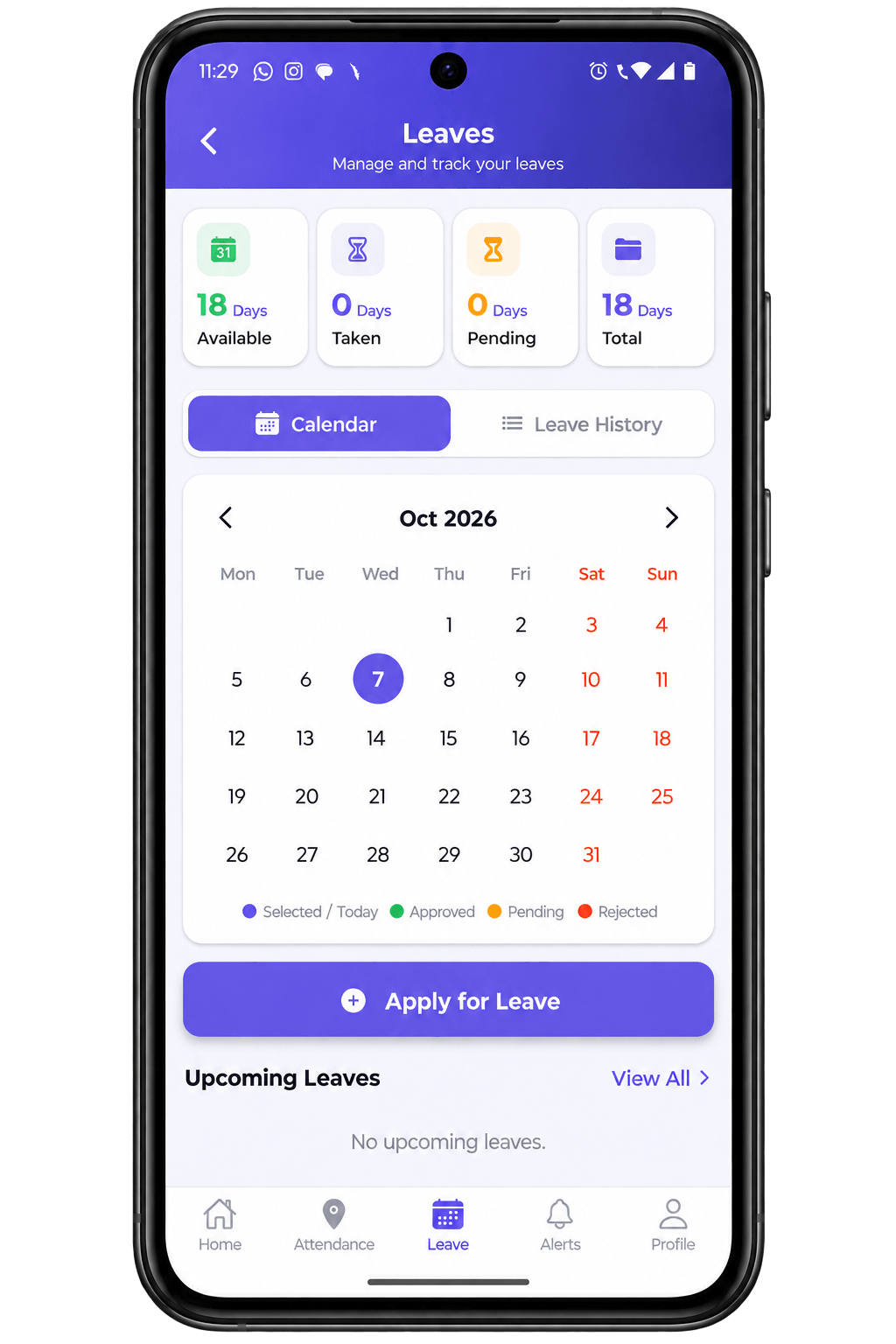
Apply, Track, and Trust the Balance
Employees can apply for leave, follow the request and cancel it from their phone. The important point is that every request is checked against real allocation balances, so the number an employee sees is the number HR works with.
Each request carries an approval status, such as “Pending approval,” and a comment trail. If a manager asks a question or explains a decision, that conversation stays attached to the request instead of getting lost in email.
The sample screen shows 18 days available and 4 days used. The result is fewer surprises and less back-and-forth about how many days someone actually has.
Leave
18 days available4 days used
Pending approvalComment trail
Payroll Figures Employees Can Trust
Employees can see an itemised payslip with net pay, earnings, deductions and a button to download the payslip as a PDF.
This page also tells an honest story about quality. An early version of the payslip screen always showed AED 0.00 in deductions, no matter what was actually deducted. That kind of error would quickly damage employees’ trust in the app.
In plain terms, the cause was how the system looked for deduction lines. It searched for each line by the name of its individual rule, when it needed to group them by deduction category. Many different rules fall under the same category, so grouping by category is the only correct way to add up every deduction.
The fix now totals deductions correctly by category, and the team checked it against a real payslip before signing it off. The message to readers is that payroll accuracy was treated as a must-get-right item, not just a screen to display.
My Payslip
Net PayAED 8,250
Basic Salary12,000
Deductions-2,750
Odoo Planning as the Single Source of Truth
Shifts are managed in Odoo Planning, and the mobile app reflects them. Whenever a shift is created, edited, reassigned or deleted, the change is passed along straight away, so employees always see the current schedule.
The page also highlights shift swaps. When a swap is approved, the actual shift in Planning is reassigned to the other person. It is not merely a status label on a request. That means the schedule managers rely on is always correct.
The flow shown is Odoo Planning, then HRMS, then the employee’s mobile app. The sample screen lists shifts such as Monday Front Desk 09:00-17:00 and Wednesday Support 13:00-21:00, and an approved swap request.
Shifts
Monday Front Desk09:00-17:00
Wednesday Support13:00-21:00
Swap requestApproved
Logged Hours, Reviewed by HR
Employees record the time they spend on assigned projects and tasks. HR then reviews and approves the entries.
This is useful for project-based work, where companies need to know where time goes, and for approval, since submitted hours can be checked before they are accepted. The sample screen shows a weekly view with project and task entries and a “Pending approval” indicator.
Timesheets
ProjectTask | Hours
Pending approvalWeekly view
Submit, Track, Reimburse
Employees submit expense claims with their receipts attached, directly from the phone. After that, they can follow the claim through approval and see when they have been reimbursed.
Equipment, Acknowledged
Employees can request equipment such as laptops, confirm they have received it, and see everything currently assigned to them.
Every HR Document, in One Place
Employees can upload and retrieve their personal HR documents, such as contracts, payslips and certificates, in one organised place.
One Queue, Clear Ownership
A central HR request queue where each request has a priority, an owner and a resolution status.
Kept in the Loop
In-app alerts keep employees informed about attendance, approvals and company announcements.
Company-Wide Visibility, in One Dashboard
HR and management get dashboards covering four areas: attendance, leave, shifts and payroll.
One Time Standard, Company-Wide
Administrators set a company time zone and choose a 12-hour or 24-hour clock. The setting takes effect immediately everywhere.