

Ship Chandler
Ship Chandler ERP Solutions
AI-Powered ERP for Ship Chandlers: From Requisition to Delivery, Faster
Read Requisitions Automatically. Quote With Confidence. Deliver on Schedule.
For a ship chandler, the slow part is rarely the delivery. It is the hours spent turning a long, messy requisition into a clean, priced list of items, then keeping stock, suppliers, ports, and invoices in step with it.
Our ship chandler ERP pairs a complete business system with an AI Product Matcher that reads incoming requisitions, finds the right items in your catalogue, and hands your team a list that is ready to quote. Orders, purchasing, stock, delivery, and accounts then run from the same record.
Whether you run a single chandlery, a provisions and stores supplier, or a group of marine suppliers across several ports, the system adapts to the volume and variety of requests you handle.
Challenges in Ship Chandler Management Where Ship Supply Teams Lose Time Every Day
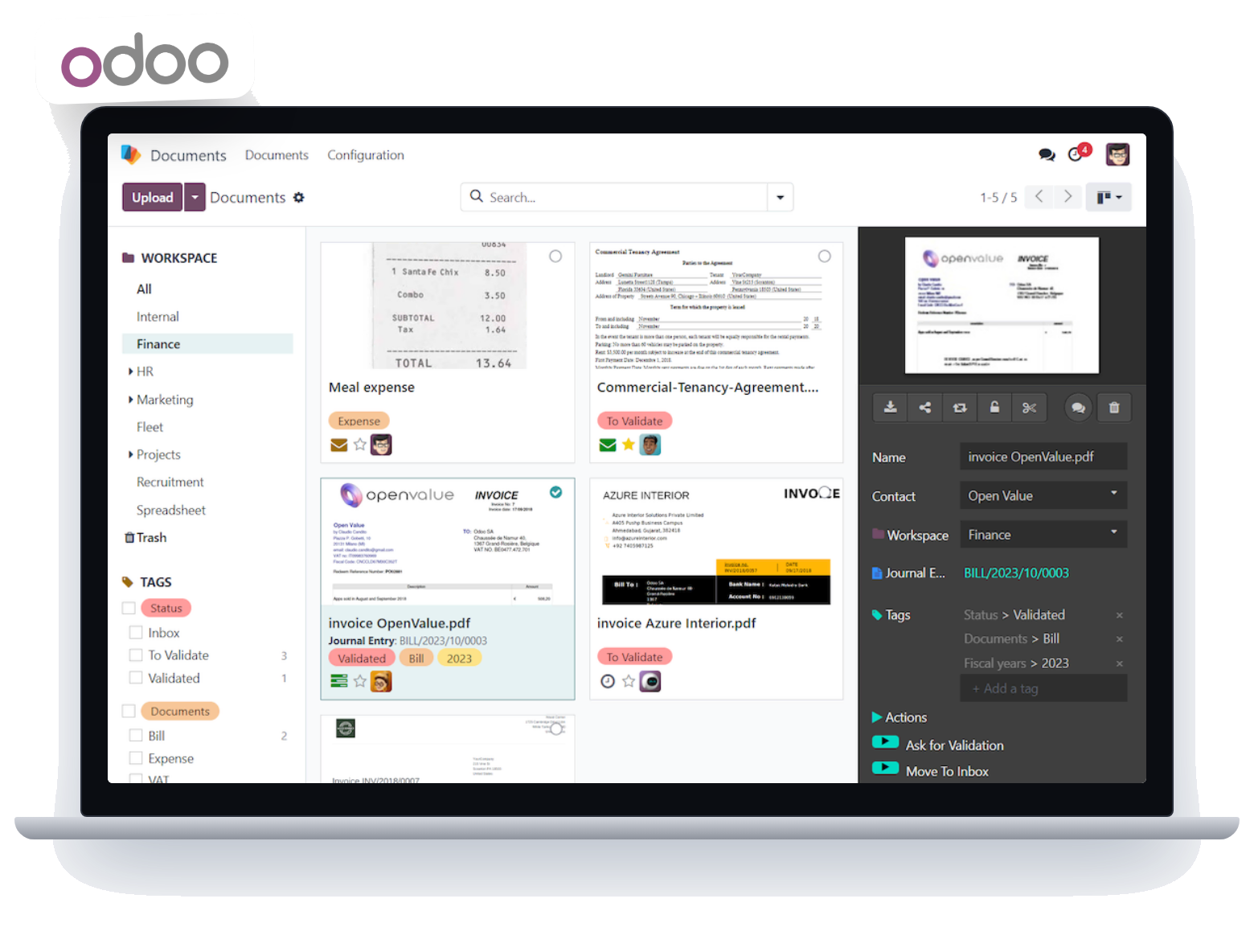
A chandlery depends on sales staff, buyers, storekeepers, drivers, port agents, suppliers, and accountants all working from the same facts. When they rely on inboxes, chat groups, and spreadsheets, delays and errors build up quietly.
The most common problems:
Requisitions In Every Format
Vessels send lists by email, chat, spreadsheet, scanned PDF, or photo, and each one must be retyped before it can be priced.
Slow, Error-Prone Item Matching
Crew describe items in their own words, while your catalogue uses IMPA, ISSA, supplier, and internal codes. Finding the right item line by line takes hours.
Uncertain Availability
Buyers do not know quickly whether an item is in stock, needs sourcing, or has no close substitute.
Supplier Price Chasing
Collecting and comparing quotations from several suppliers delays the reply to the customer.
Delivery and Port Coordination
Changing arrival dates, split deliveries, and missing proof of delivery make scheduling hard to follow.
Margin and Billing Errors
Item costs, discounts, currencies, and taxes are easy to get wrong when handled by hand.
Little Insight Into Performance
It is difficult to see which customers, vessels, or ports are profitable, or where claims and overdue payments are building up.
A connected system with AI at the front of the process removes much of this manual work and gives managers a clear picture of the business.
Our Solution
An ERP Built Around AI-Assisted Product Matching
We provide ERP solutions that cover the full supply cycle for ship chandlers, with AI handling the most time-consuming step: understanding what the vessel has asked for.
The AI Product Matcher reads the requisition, identifies each requested item, compares it with your catalogue, and presents the closest matches with a confidence score and stock position. Your team reviews only the lines that need a human decision, then moves straight to quotation, purchasing, and delivery inside the same system.
The approach is designed to save time without removing control. People stay in charge of every price and every order, and the AI prepares the groundwork.
Key capabilities include:
- AI Product Matcher for reading requisitions and matching items to your catalogue
- Confidence scoring and a review queue for uncertain matches
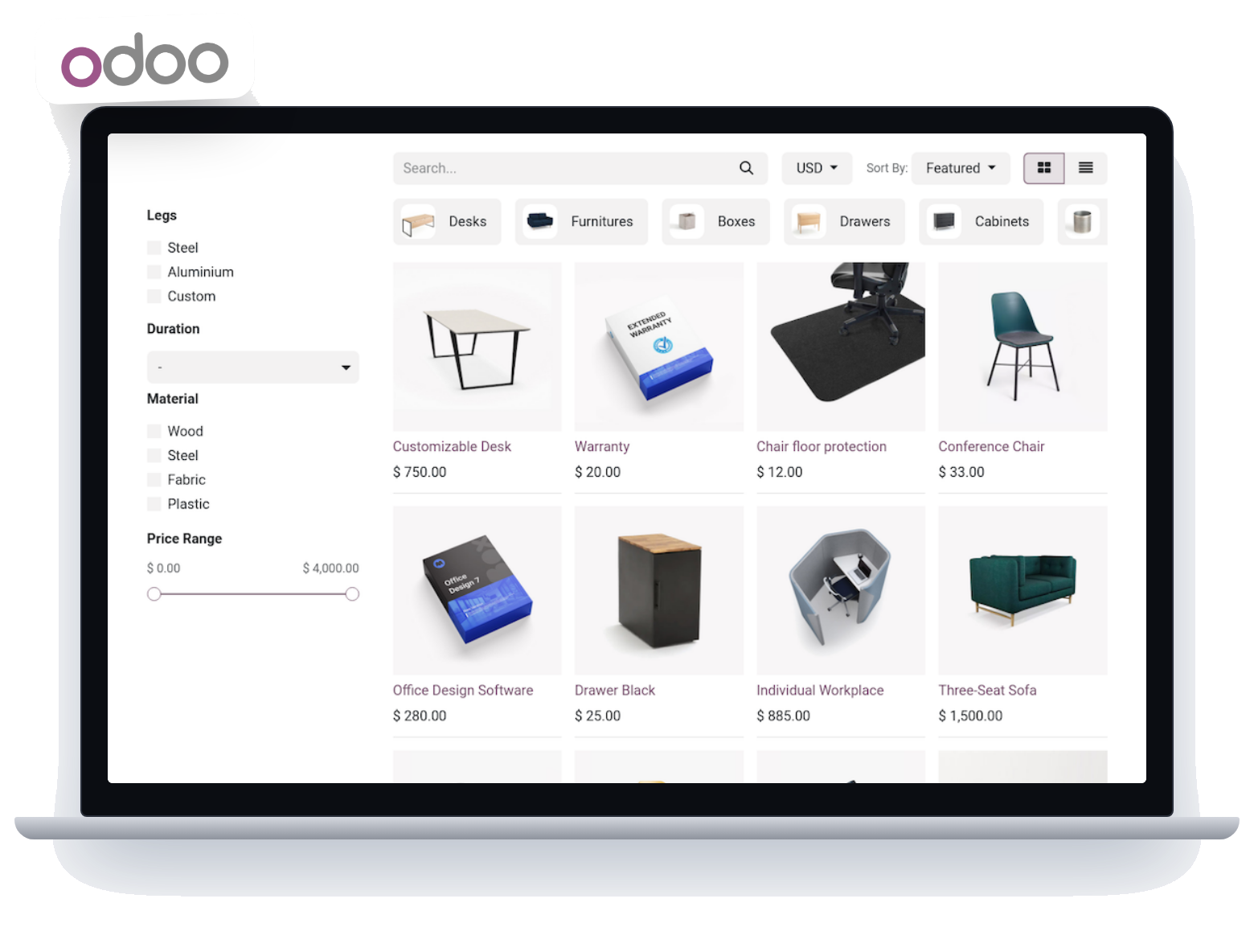
- Stock and availability checks on every matched item
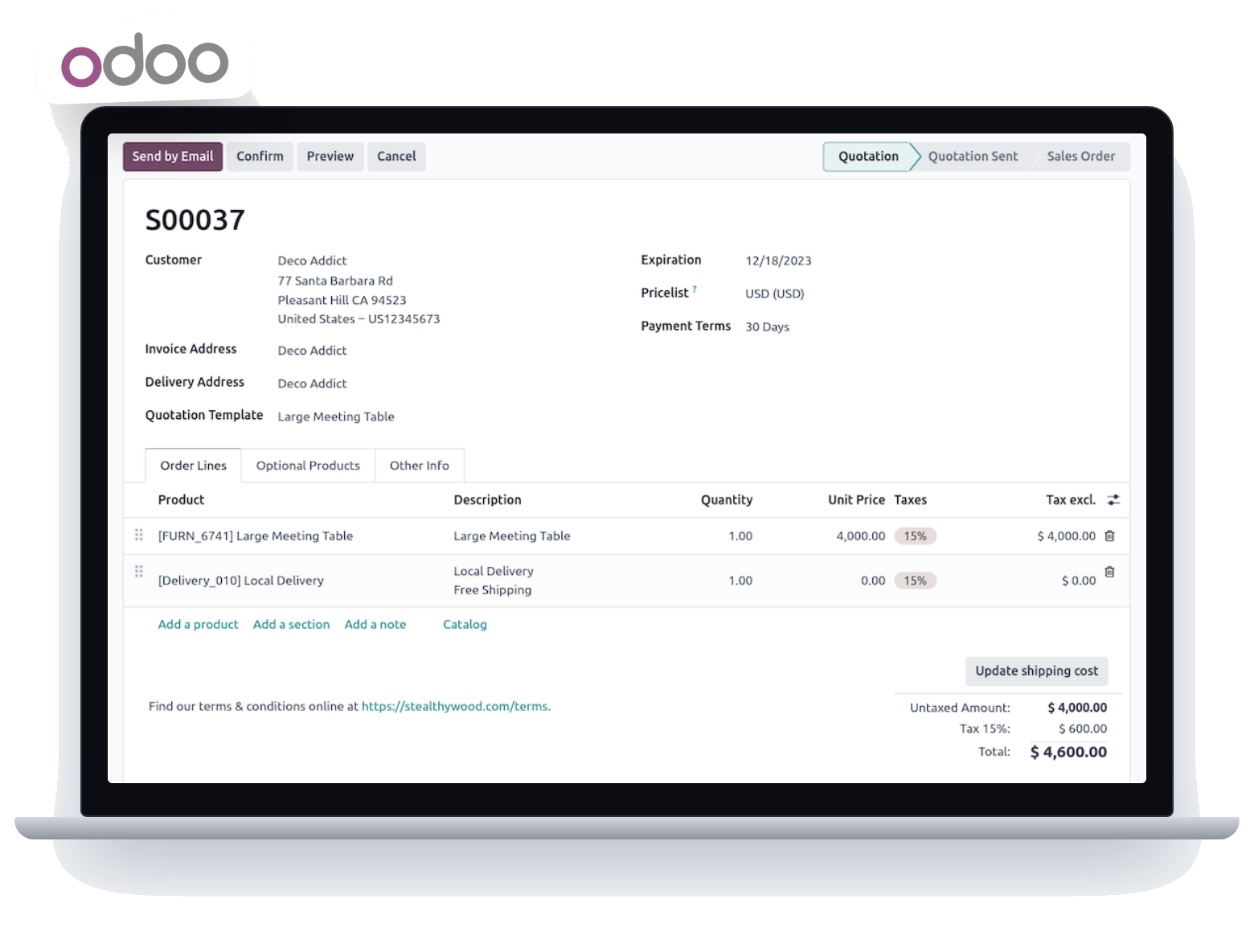
- Quotation management with cost and margin visibility
- IMPA, ISSA, supplier, and internal item code management
- Supplier comparison, purchasing, and vendor performance tracking
- Stock control across port warehouses, including bonded and duty-paid goods
- Delivery scheduling and proof of delivery
- Invoicing in multiple currencies and languages
- Accounting, reporting, and management dashboards
Modules can be selected and configured to match how your business works, so the system can grow with you.
Key Features
What the System Does for Your Ship Supply Business

1. AI Product Matcher
The core of the system: it converts unstructured requisitions into matched, quote-ready item lists.
- Accepts requests as typed text, chat exports, spreadsheets, CSV files, PDFs, and images, where text recognition is enabled.
- Picks out item descriptions, quantities, and units from each line, even when the wording is informal or inconsistent.
- Looks for the item through three layers: an exact check on codes and barcodes, a tolerant text comparison that copes with typos and abbreviations, and an optional meaning-based search for items described in different words.
- Gives every match a confidence score, so clear matches move forward and doubtful ones wait for review.
- Offers alternative items where the first choice is unavailable or uncertain.
- Shows stock position and availability next to each matched item.
- Turns confirmed matches into RFQ or quotation lines in one step.
- Runs against large catalogues, and the scoring rules can be tuned to your product range.
- Works on top of standard matching, so the core features keep working even when the optional AI components are switched off.

2. Review Queue and Human Control
Keep your team in charge of the final decision.
- Review low-confidence matches side by side with the original request line.
- Accept, change, or reject a suggestion with a click.
- Flag items that need sourcing from a supplier or substituting.
- Keep a record of what was requested and what was matched for later reference.
3. Vessel and Customer Management
Hold the information about who you supply in one place.
- Store vessel name, IMO number, owner, manager, fleet, and agent details.
- See each customer's previous requisitions, quotes, and deliveries.
- Reuse earlier orders to speed up repeat requests.

4. RFQ and Quotation Management
Reply to enquiries quickly and with accurate figures.
- Register enquiries from email and requisition files.
- Prepare quotations showing quantity, price, and validity.
- See line-level cost and margin before sending.
- Quote in several currencies and keep revised versions.
- Convert accepted quotations into sales orders.
- Track open, won, and lost enquiries.

5. IMPA, ISSA, and Item Catalogue Management
Build a product master that reflects how marine supplies are actually named and coded.
- Keep IMPA, ISSA, supplier, and internal codes against each item.
- Manage units, pack sizes, and categories.
- Handle items that are not in any standard list, as well as substitutes.
- Give your catalogue clean, consistent descriptions that also improve AI matching accuracy.

6. Supplier Comparison and Purchasing
Buy well and keep costs under control.
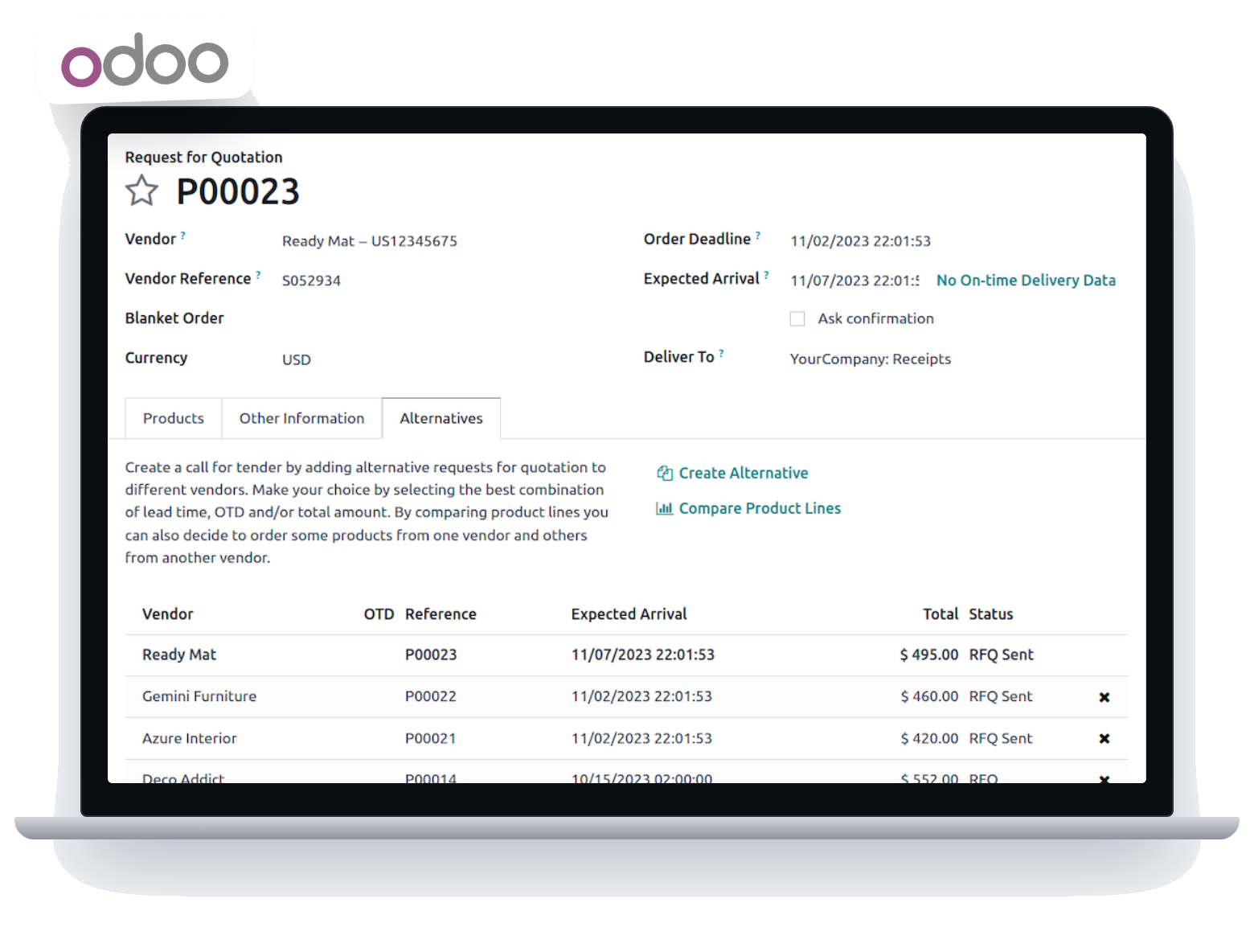
- Send RFQs to several suppliers and record their replies.
- Compare prices side by side and approve the best option per line.
- Raise purchase orders directly from confirmed sales orders.
- Track receipts and supplier invoices.
- Review supplier performance on price, delivery, and quality.

7. Inventory and Warehouse Management
Know what you hold, where it is, and what is reserved for which vessel.
- Follow stock across port warehouses.
- Reserve goods against individual vessel orders.
- Record lot and expiry dates for provisions and perishables.
- Separate bonded and duty-free goods from duty-paid goods, subject to configuration.
- Set reorder levels and spot slow-moving items.

8. Delivery and Port Management
Get the right goods to the right vessel at the right berth.
- Plan deliveries by port, vessel, and arrival date.
- Assign drivers, vehicles, or launch boats.
- Adjust plans when a vessel's schedule changes.
- Record signed delivery notes and any shortages.

9. Invoicing and Payments
Turn completed deliveries into accurate invoices.
- Create invoices from confirmed deliveries.
- Handle discounts, credit limits, and balances due.
- Issue documents in several currencies and languages, such as English and Arabic.
- Support VAT handling, subject to the configured system and applicable regulations.

10. Accounting and Financial Management
Keep operations and finance in one record.
- Follow revenue, costs, and cash movements.
- Track receivables and payables.
- Review cost and profit for each order or vessel.
- Prepare financial summaries for management.

11. Claims, Returns , Credit Notes
Deal with supply problems in a structured way.
- Log short supplies, rejections, and damage against the original order.
- Link each claim to the supplier and delivery involved.
- Issue credit notes and process returns.
- Look for repeating issues so they can be fixed at the source.

12. Customer Relationship Management
Keep contact details, enquiries, and follow-ups together.
- See each customer's full order and quotation history.
- Record feedback and communications.

13. Reports and Dashboards
See how the business is performing without building spreadsheets.
- Monitor open, active, and completed orders.
- Analyse sales and profit by customer, vessel, and port.
- Track stock levels, supplier performance, and overdue payments.
- Measure how much of each requisition was matched automatically and how much needed review.
How Ship Chandler ERP Works
AI-Assisted Flow From Requisition to Final Invoice
Every order follows the same path, and the AI Product Matcher takes over the first and most repetitive stage.
Step 1: Receive the Requisition
A vessel’s request arrives by email, chat, spreadsheet, PDF, or image. It is logged against the correct vessel and customer.
Step 2: AI Reads and Matches the Items
The AI Product Matcher extracts each requested item, quantity, and unit. It then searches your catalogue in layers: exact code and barcode lookup first, then tolerant text matching, then optional meaning-based search for items described in different words.
Step 3: Confidence Scoring and Review
Each match receives a score. High-confidence lines pass through, while uncertain ones go to a review queue where your team accepts, edits, or replaces the suggestion.
Step 4: Availability and Pricing
The system shows stock position for every confirmed item and highlights those that must be sourced. Supplier prices are compared, margins are checked, and the quotation is prepared and sent.
Step 5: Order, Purchasing and Receiving
Once the customer approves, the quotation becomes a sales order. Purchase orders are raised for sourced items, goods are received, and stock is reserved for the vessel.
Step 6: Packing and Port Delivery
Orders are packed by vessel, scheduled by port and arrival date, and delivered with signed proof of delivery. Any shortages are recorded on the spot.
Step 7: Invoice, Payment and Follow-Up
The invoice is created from the delivery, payments are recorded, and claims or credit notes are handled against the original order.
Because the first stages are automated, your team spends its effort on pricing, sourcing, and service rather than on retyping lists.
Benefits of Ship Chandler ERP
What Changes When AI and ERP Work Together
Faster Response to Enquiries
Requisitions become quote-ready lists much sooner, so you can reply to vessels while the request is still fresh.
Fewer Retyping and Matching Errors
The AI reads and matches items from the source request, reducing mistakes that creep in with manual entry.
More Productive Teams
Sales and purchasing staff concentrate on judgement-based work, with routine matching handled in the background.
Clear Availability Picture
See at a glance which items are in stock, which need sourcing, and which have alternatives.
Stronger Margin Control
Cost, supplier price, and margin are visible on each line before a quotation goes out.
Reliable Port Deliveries
One schedule links orders, stock, and delivery crews, so changes in vessel timing are easy to manage.
One Version of the Facts
Orders, stock, deliveries, and accounts update the same record, which removes duplicate entry and conflicting spreadsheets.
Room to Grow
Add users, warehouses, or ports without rebuilding how requests are handled.
Industries We Serve
ERP and AI Matching for Marine Supply Businesses
The system is configured for the way each type of supplier handles requests and stock.
Ship Chandlers
Convert requisitions into quotations quickly, then manage purchasing, delivery, and billing in one place.
Provisions and Bonded Stores Suppliers
Handle food, beverages, and bonded goods with expiry tracking and separate stock records.
Deck and Engine Stores Suppliers
Match technical items and spares to catalogue codes and supplier sources.
Offshore and Marine Supply Companies
Support supply to offshore vessels, project documentation, and recurring orders.
Ship Agents with a Supply Division
Link port agency work with supply orders and invoicing.
Marine Trading Companies
Manage multi-supplier sourcing, mixed currencies, and export paperwork.
Multi-Port Chandlery Groups
Coordinate warehouses, orders, and reporting across locations.
Why Choose Us?
An AI-First Approach Backed by ERP Experience
Technology only helps if it fits the way your team works. We combine a full business system with AI built for the specific problem of matching vessel requests to products, then configure both around your catalogue and processes.
The right setup depends on your catalogue quality, request formats, and existing tools, which we review together before implementation.
AI Where It Matters Most
Automation is applied to the slowest step in ship supply, understanding and matching requisitions.
Human Control by Design
Confidence scores and a review queue keep people in charge of every decision.
Works With Your Catalogue
The matcher uses your own items and codes rather than a fixed generic list.
Complete Business System
Sales, purchasing, stock, delivery, and accounts share the same data.
Flexible Setup
Modules and matching rules are tuned to your size, products, and workflow.
Practical Implementation
We handle data preparation, configuration, training, and support so the system fits into daily operations.
Frequently Asked Questions
What is ship chandler ERP software?
It is a business system for ship suppliers that manages enquiries, quotations, item codes, supplier purchasing, stock, vessel orders, deliveries, invoicing, and accounts on one platform.
What is the AI Product Matcher?
It is the part of the system that reads vessel requisitions and matches each requested item to your catalogue. It scores every match and passes only the uncertain lines to your team for review.
What types of requests can it read?
It can work with typed text, chat exports, spreadsheets, CSV files, PDFs, and images. Reading images and scanned documents requires text recognition to be enabled in your setup.
Does the AI replace my team's judgement?
No. It prepares matches and flags uncertainty, while your team confirms items, prices, and orders.
How accurate is the matching?
Accuracy depends on catalogue quality, how clearly items are described, and how the scoring rules are tuned. Results are measured and adjusted during setup, and uncertain lines are always routed for review.
Will it work with IMPA and ISSA codes?
Yes. Items can hold IMPA, ISSA, supplier, and internal codes, and the matcher uses these along with item descriptions, depending on your configuration.
What if the AI components are not enabled?
The system still performs exact and tolerant text matching, so the core workflow continues to work. The optional meaning-based search can be added when your environment supports it.
Can the ERP manage bonded stock and multiple ports?
Yes. Stock can be tracked per warehouse, with bonded and duty-paid goods kept separate, depending on the selected configuration and local customs rules.
Can the system support VAT invoicing in the UAE?
A properly configured system can handle VAT-related invoicing and reporting. The setup should be checked against current UAE tax rules and your own accounting needs, including any e-invoicing requirements being introduced.
Can the system be customized for my business?
Yes. Workflows, reports, matching rules, and integrations are reviewed with you to decide what to configure or develop.