

ERP Software for Packaging Material Manufacturing
One System for Raw Materials, Production, Quality, Costing and Customer Orders
Packaging plants work with thin margins and short lead times. Paper, film, and resin prices move, every customer wants a different size or print, and one bad run can wipe out the profit on an order. Our ERP software for packaging material manufacturing puts the whole operation on a single Odoo-based platform, from the first quotation to the final dispatch.
Plan production from real orders and real stock, compare planned material use with what was actually consumed, catch waste while it is happening, and see what each job truly cost. The system suits makers of corrugated boxes, cartons, paper bags, flexible films and pouches, plastic containers, labels, and industrial packaging.

What you gain:
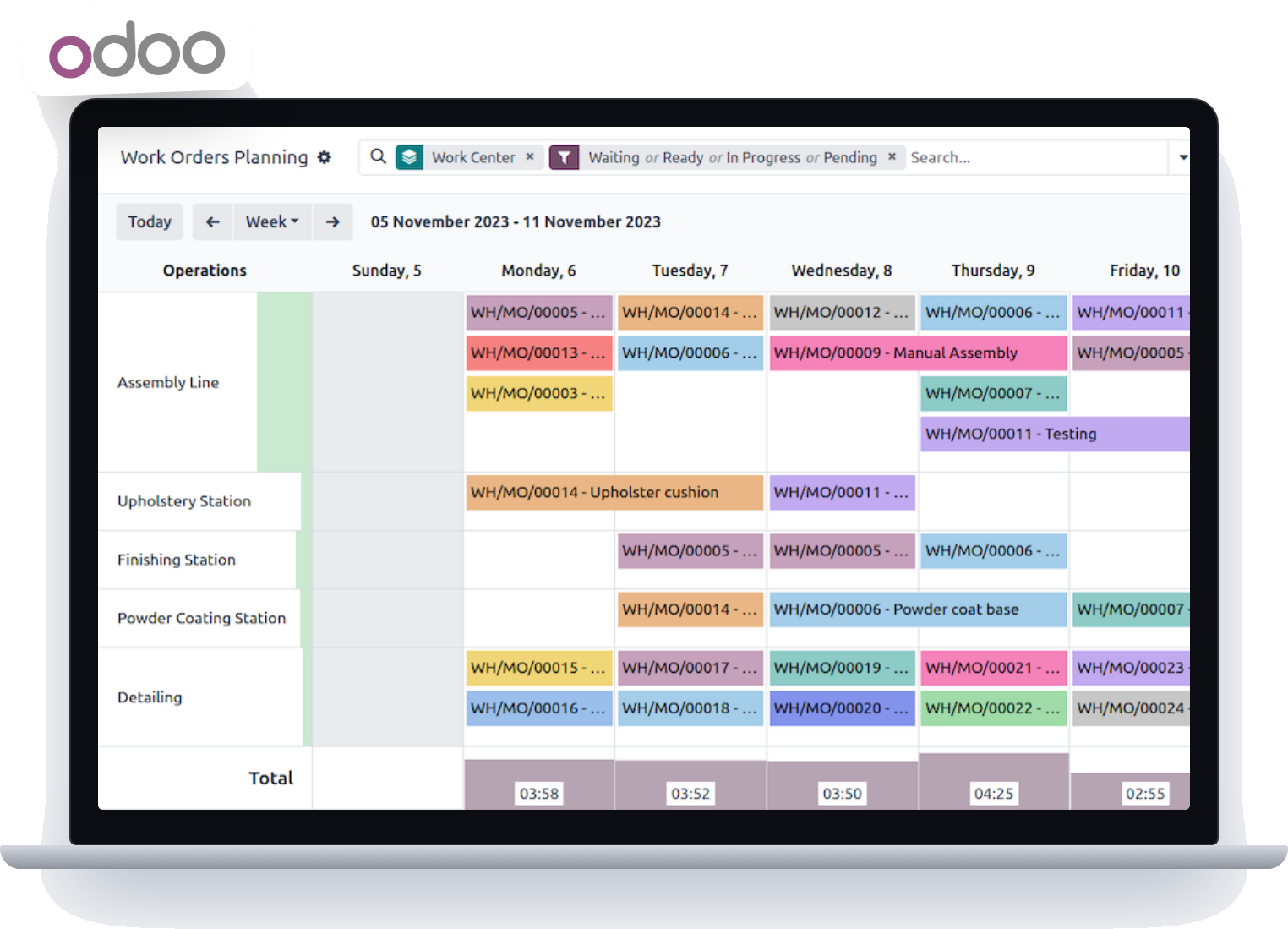
- Production planned from customer orders and available materials
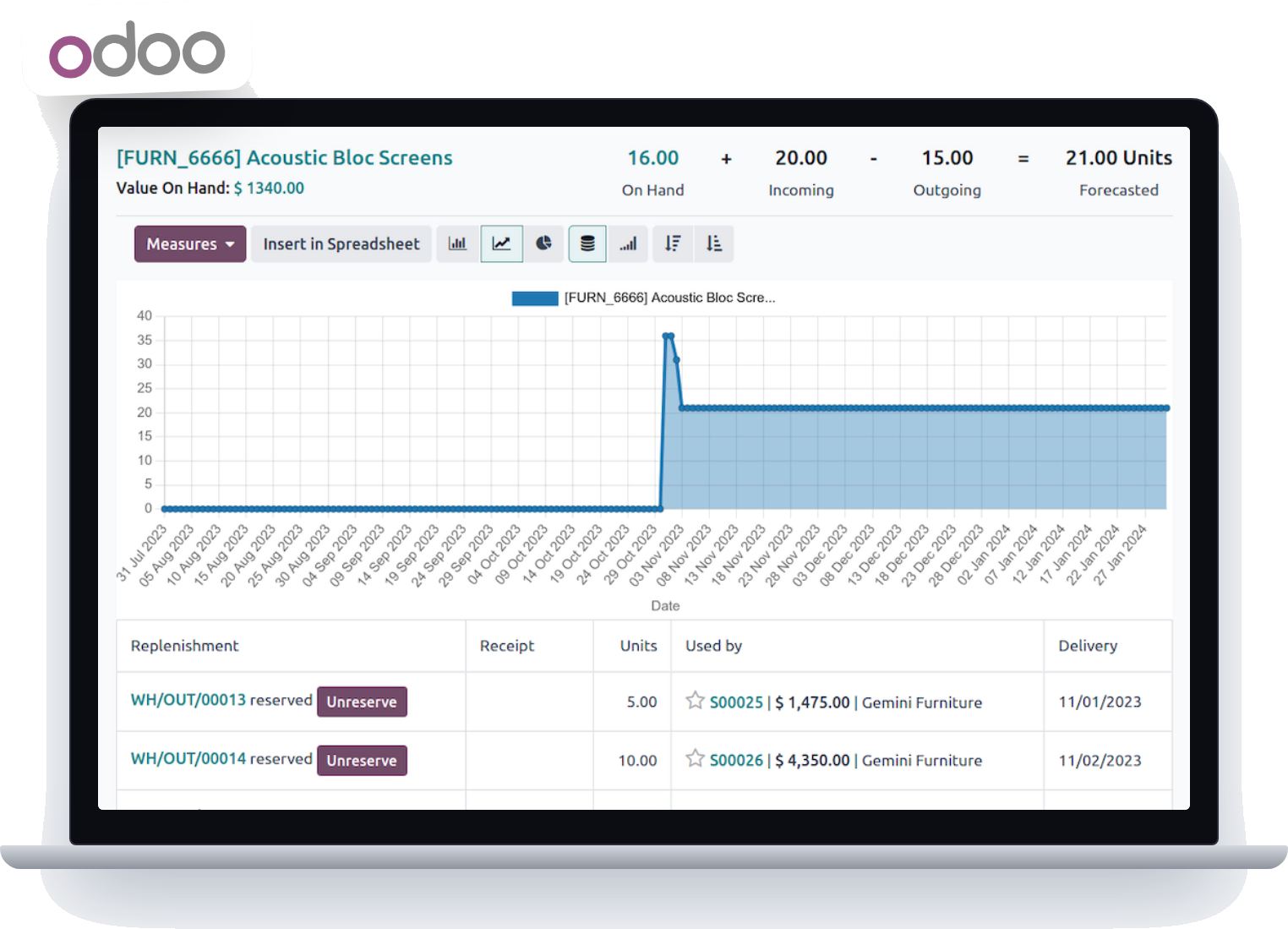
- Raw material stock you can trust, down to batch and location
- Work orders that show what to make, on which machine, and by when
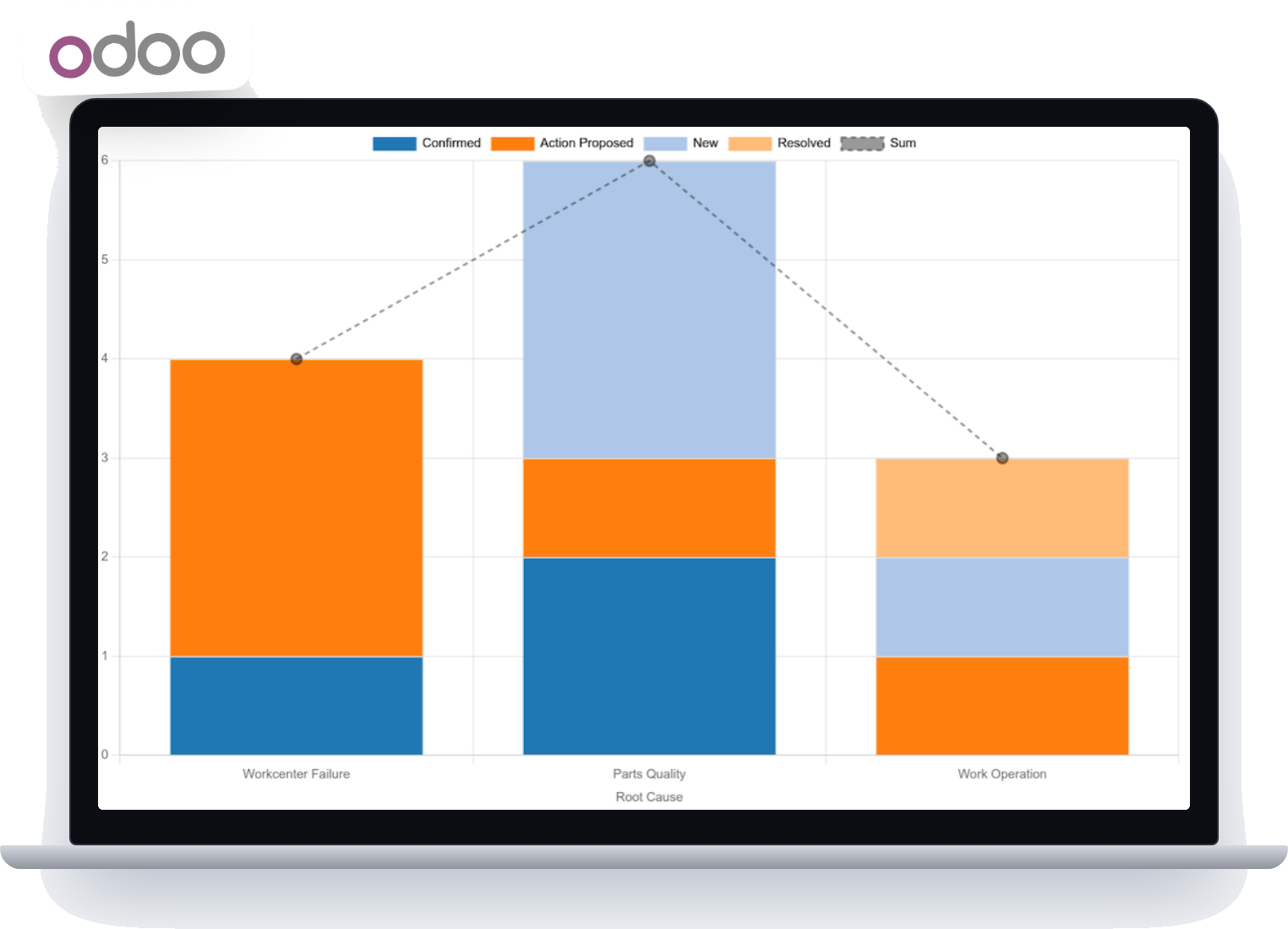
- Waste and scrap recorded against each job
- Quality checks and specifications held with every product
- Actual job cost and margin, not guesses
- Suppliers, customers, and orders in one place
- Reports that managers can open without asking for spreadsheets
Why Packaging Manufacturers Need a Connected ERP?
Run Procurement, Production, Stock and Sales From One Record
A packaging manufacturer juggles many moving parts at once: buying materials, holding specifications for each product, scheduling machines, checking quality, shipping on time, and working out what each job earned. When these live in separate spreadsheets and standalone programs, nobody sees the full picture until something goes wrong.
The problems packaging teams raise most often:
Shifting Material Prices
Costs for paper, board, film, resin, and ink change often, making it hard to quote safely and buy at the right time.
Complicated Scheduling
Custom sizes, print runs, and frequent changeovers make it hard to know what to run next.
Hidden Waste
Trim loss, rejects, and rework eat into margin, yet they are rarely tied back to a specific job.
Unreliable Stock Figures
Rolls, sheets, resin, work in progress, and finished goods are counted by hand and often disagree with the books.
Custom Orders
Every customer has its own dimensions, materials, and print requirements that must reach the shop floor intact.
Unknown Real Cost
Without material, labour, and machine time on each job, teams cannot tell which products and customers are profitable.
Our ERP software for packaging manufacturing joins these functions in one system, so purchasing, planning, production, warehouse, sales, and accounts all work from the same figures. It can be set up to match how your plant runs, whether you make boxes, films, bags, containers, or printed packs.
Key Features of Our Packaging Manufacturing ERP Software
12 Modules Built Around the Packaging Production Cycle

1. Raw Material and Inventory Management
Know what you hold, where it is, and whether it will cover the next job.
- Record paper, board, film, resin, ink, adhesives, and consumables with attributes such as grade, thickness, size, weight, and batch.
- Track work in progress and finished goods alongside raw materials.
- Use more than one unit of measure, such as kilograms, sheets, rolls, or metres, where configured.
- Follow stock by warehouse, rack, and lot, with a full movement history.
- Set reorder levels and receive alerts before a material runs short.
- Value stock and review ageing reports.

2. Production Planning and Scheduling
Turn confirmed orders into a clear plan for the shop floor.
- Create manufacturing orders and work orders from sales orders or forecasts.
- Use material requirement planning to work out what to buy and when.
- Schedule jobs by machine or work centre, taking capacity into account.
- See which orders are running, waiting, or late.
- Reorder the plan quickly when a rush job arrives.

3. Bill of Materials and Product Specifications
Keep the recipe for every packaging product in one controlled place.
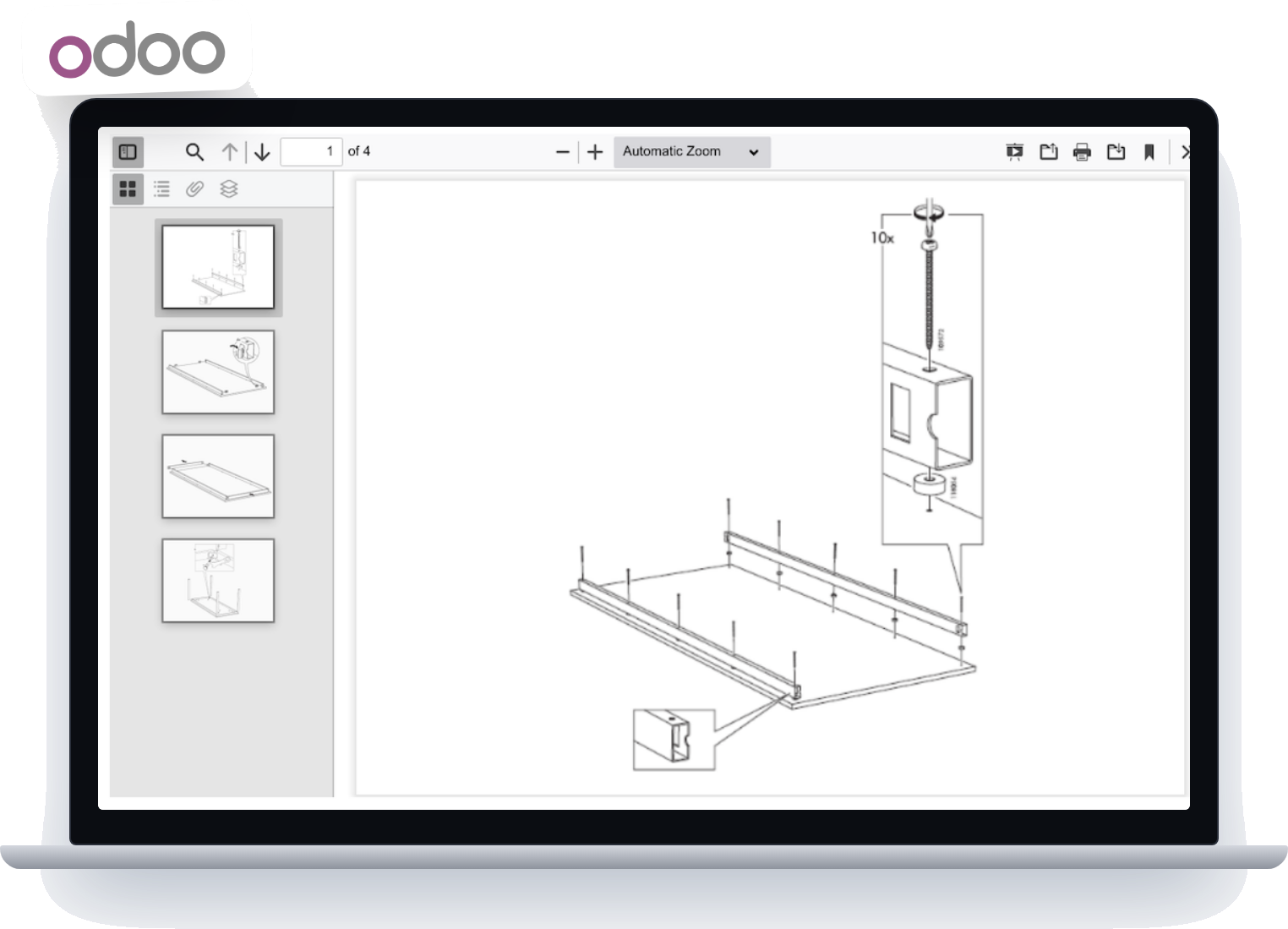
- Define the materials, quantities, dimensions, and operations for each item.
- Hold customer-specific specifications for repeat orders.
- Manage variants of the same product, such as different sizes or prints.
- Define the routing, so the system knows which steps the job passes through.
- Keep earlier versions of a specification, where the configuration supports it.

4. Material Consumption, Waste , Scrap Control
See where material goes and what it costs when it is lost.
- Compare planned material use with actual consumption on every job.
- Record scrap, trim loss, rejects, and rework by reason.
- Monitor yield to spot recurring losses.
- Attach the cost of waste to the job that caused it.
- Review variance reports to find where to improve.

5. Machine and Shop-Floor Tracking
Give supervisors a live view of what each machine is doing.
- Assign jobs to machines and work centres.
- Log output quantities, start and stop times, and operators.
- Compare planned and actual run time.
- Record downtime reasons, where the set-up supports it.
- Coordinate maintenance with the production schedule, where enabled.
- Connect to machine data sources if live readings are needed, which may need extra integration work.

6. Quality Control and Inspection
Check quality at the points where problems start.
- Inspect incoming materials before they are released to production.
- Set in-process checks for dimensions, thickness, weight, strength, seal quality, or print quality.
- Inspect finished goods against the customer specification and tolerance.
- Record rejections, non-conformances, and corrective actions.
- Trace quality results to the batch or production order.
- Log customer complaints and returns against the original job.

7. Purchasing and Supplier Management
Buy materials in step with production demand.
- Raise purchase requests and orders from planned requirements.
- Compare supplier quotations and keep price history.
- Track orders through to goods receipt and inspection.
- Process purchase returns and supplier credits.
- Review supplier delivery and quality performance.

8. Sales Orders and Customer Management
Tie every customer request to the plant’s capacity.
- Capture enquiries and prepare quotations from product specifications and current costs.
- Convert accepted quotations into sales orders and production orders.
- Apply customer-specific prices and terms, where configured.
- Track delivery dates and order progress.
- Keep a complete history of each customer’s orders, invoices, and returns.

9. Job Costing and Profitability
Find out what each order really cost to make.
- Build job cost from material, labour, machine time, and overheads.
- Include the cost of scrap and rework.
- Compare estimated cost with actual cost per job.
- Analyse profit by product, order, and customer.
- Use the findings to price future quotations more accurately.

10. Warehouse and Finished Goods Management
Get completed packaging to the customer without confusion.
- Receive finished goods into stock directly from production.
- Reserve stock for specific customer orders.
- Transfer goods between warehouses or locations.
- Identify batches and lots where customers need traceability.
- Plan dispatches and track deliveries.

11. Accounting and Financial Management
Keep production activity and finance in step.
- Post sales and purchase transactions automatically from operational documents.
- Manage receivables and payables, and track payments.
- Record expenses and value inventory.
- Maintain tax records, configured for your location.
- Produce financial summaries, including manufacturing cost reports.

12. Reports and Management Dashboards
Give managers the numbers without waiting for month-end.
- Production efficiency and on-time delivery.
- Material consumption, waste, and yield.
- Stock levels and ageing.
- Machine-wise output.
- Sales, order fulfilment, and receivables.
- Cost, margin, and supplier performance.
Packaging Manufacturing ERP for Different Types of Businesses
Set Up for the Way Your Product Is Made
A corrugated plant and a film extruder buy different materials, run different machines, and measure waste in different ways. The system is configured around your own process rather than a single template.
Paper and Paperboard Packaging
Manage paper, board, cartons, and paper bags, with stock by reel or sheet, production planning, and finished goods tracking.
Corrugated Box Manufacturing
Follow board from the corrugator through printing, cutting, and folding, with trim loss and finished box stock recorded.
Flexible Packaging
Handle films, laminates, rolls, pouches, inks, and adhesives, with stages such as extrusion, printing, lamination, slitting, and pouch making, depending on the set-up.
Plastic Packaging
Track resins, additives, colour masterbatch, and moulds across processes such as injection moulding, blow moulding, extrusion, and thermoforming.
Labels and Printed Packaging
Keep artwork references, print specifications, and job details with each order, where the relevant features are configured.
Industrial and Customized Packaging
Coordinate made-to-order packs, special materials, and delivery dates for business customers.
How Packaging Manufacturing ERP Works
From Customer Order to Cost Review in Seven Steps
The system follows each order through the plant, so every department sees the same status.
Step 1: Capture the Order
Record the customer’s request with product specification, quantity, price, and promised delivery date.
Step 2: Work Out Material Needs
The bill of materials and current stock show which materials are required, what is already available, and what must be bought.
Step 3: Plan and Schedule Production
Create manufacturing orders, assign them to machines, and sequence them around capacity, priorities, and due dates.
Step 4: Run and Monitor Production
Operators record output, material used, scrap, and quality results as the job progresses, giving supervisors a current view.
Step 5: Receive and Allocate Finished Goods
Completed packaging enters stock, is allocated to the customer order, and is prepared for dispatch.
Step 6: Dispatch and Invoice
Record the delivery, issue the invoice, and track payment against the customer account.
Step 7: Review Cost and Performance
Compare estimated and actual cost, study waste and variances, and use the results to improve the next quotation and plan.
Because each step feeds the next, information is entered once and used everywhere, from the first enquiry to the final margin figure.
Benefits of ERP for Packaging Material Manufacturers
What Changes When Your Plant Runs on One System
Better-Planned Production
Schedules reflect real orders, stock, and machine capacity, so fewer jobs are surprised by missing materials.
Tighter Inventory Control
A shared view of raw materials, work in progress, and finished goods reduces shortages and overstock.
Less Material Waste
When scrap and variances are recorded per job, recurring losses become visible and fixable.
Clear Cost and Margin
Material, labour, machine time, and waste roll into job cost, so you see which products and customers pay.
More Consistent Quality
Specifications and inspection records stay with each product and batch, supporting repeatable output.
Smoother Order Fulfilment
Sales, planning, warehouse, and dispatch work from one order record, which helps delivery dates hold.
One Version of the Truth
Purchasing, production, stock, sales, and accounts draw on the same data instead of separate files.
Room to Grow
Add modules, machines, products, or sites later without starting again.
Why Choose Commerce9 for Packaging Manufacturing ERP?
An Odoo Partner That Builds Around Your Production Process
Commerce9 is a Dubai-based software development company focused on ERP, eCommerce, mobile apps, and custom software. For a packaging manufacturer, that range means the plant system, a customer ordering portal, and shop-floor mobile tools can be built to work together.
The right scope depends on your processes, machines, and reporting needs, which we review together before implementation.
Process-First Configuration
We start from how your plant makes its products, then set up bills of materials, routings, and work centres to match.
Custom Odoo Development
Where standard features fall short, such as special costing rules or packaging-specific calculations, our developers build the modules you need.
Data Migration Support
We help prepare and import your materials, products, customers, suppliers, and opening balances.
Integration Capability
The system can be connected to accounting tools, online ordering, warehouse devices, and production equipment, depending on scope.
Training and Support
Staff are trained for their own roles, and support continues after go-live.
Frequently Asked Questions About Packaging Manufacturing ERP Software
1. What is ERP software for packaging material manufacturing?
It is a business system that links the main functions of a packaging plant: material purchasing, stock, production planning, quality checks, sales orders, costing, and accounts. Each department works from the same data.
2. How does ERP help packaging manufacturers?
It shows what is in stock, what each order needs, which machine runs what, how much material was used or wasted, and what each job cost. That supports better planning, buying, and pricing.
3. Can it manage raw materials and finished goods?
Yes. Raw materials, consumables, work in progress, and finished products can all be tracked, and, where configured, by batch, lot, location, weight, or dimensions.
4. Can it calculate how much material an order needs?
Yes. Material requirement planning combines the bill of materials, the order quantity, current stock, and your planning rules to show what must be purchased.
5. Can it track waste and scrap?
Yes. Scrap, rejects, and rework can be recorded per job and compared with planned use, so losses and their cost become visible.
6. Does it support customized packaging products?
Yes. Dimensions, materials, print details, and routings can be held per product or per customer and reused for repeat orders.
7. Can it handle several production processes?
Yes. Operations such as printing, lamination, slitting, cutting, folding, corrugating, moulding, and converting can be set up as stages with their own work orders, depending on your plant.
8. Can it monitor machine utilization?
The system can record machine assignments, run time, output, and downtime. Live readings straight from machines usually need extra integration with the equipment.
9. How does it help control manufacturing costs?
It combines material use, labour, machine time, overheads, and waste into job cost. Comparing estimates with actuals shows where margins are lost.
10. Is it suitable for small and large manufacturers?
Yes. The scope is chosen to match your processes, number of sites, reporting needs, and budget, and can be extended in phases.
11. Can it integrate with other systems?
It can usually be connected to accounting tools, online ordering, warehouse devices, and production equipment. What is possible depends on the interfaces available and the project scope.